
Details
2D Codes Scanner Module, Supports 4mil High-density Barcode Scanning, Barcode/QR code Reader
2D Codes Scanner Module
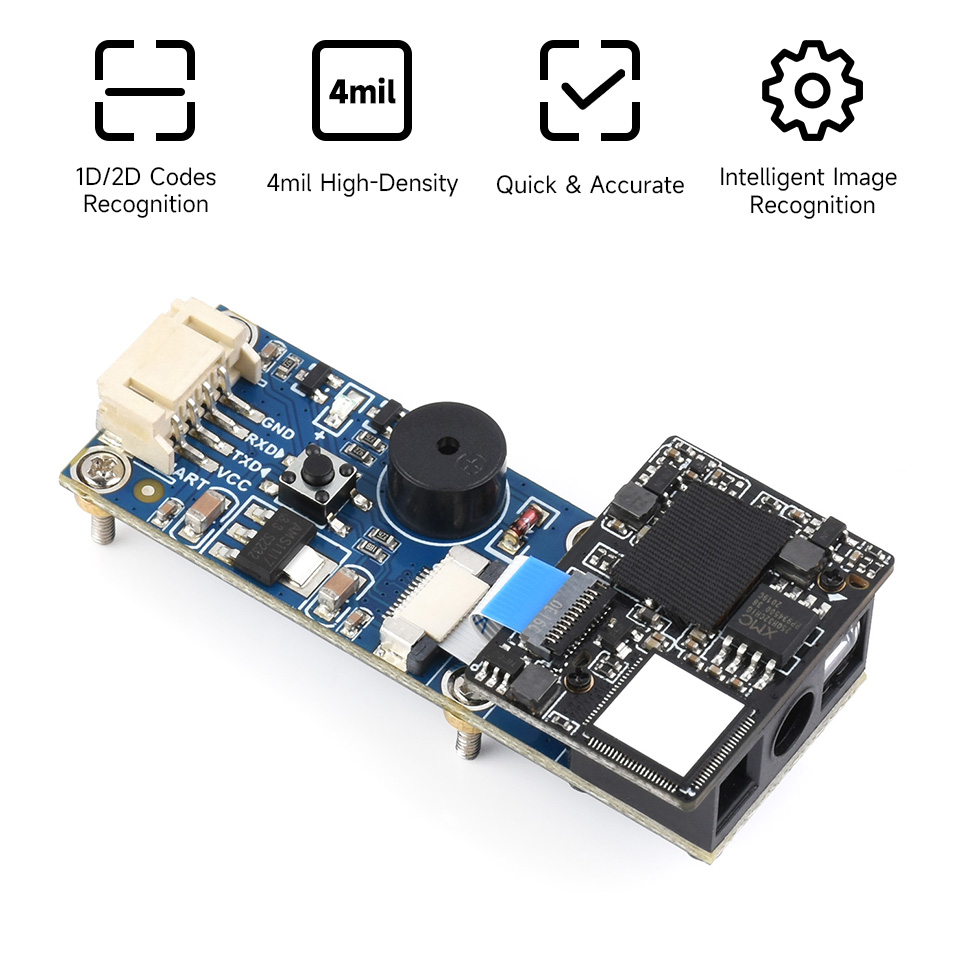
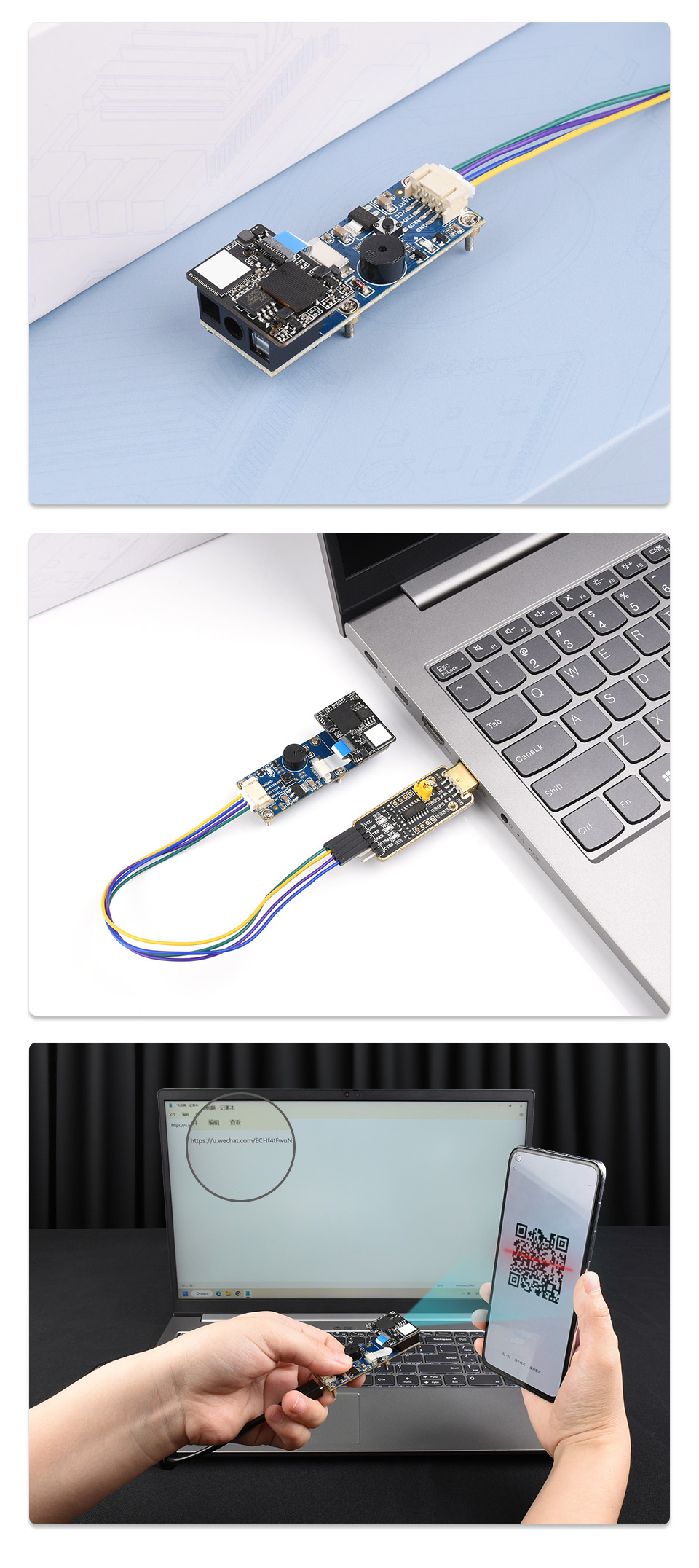
The Barcode Scanner Module (B) is a Barcode/QR codes scanner module, by using the intelligent image recognition algorithm, it can decode the 1D or 2D code on paper or screen fastly and accurately. Supports a variety of barcode formats and 4mil high-density barcode scanning. Onboard USB and UART interfaces, can be directly plugged into a computer, or be easily integrated into kinds of embedded devices.
Comparison
| Model |  Barcode Scanner Module |
 Barcode Scanner Module (B) |
|
|---|---|---|---|
| Resolution | 640 × 980 | 640 × 480 | |
| Scan angles | pitch ±60°, skew ±65°, roll 360° | pitch ±65°, skew ±65°, roll 360° | |
| Scan mode | Sensing, Continuous, Command trigger, Manual (default) | Sensing, Continuous, Manual (default) | |
| Accuracy | - | ≥4mil | |
| Communication Interface | USB keyboard mode (default), USB virtual port, UART port | ||
| Light source | White (Lighting) + Red (Aiming), both are visible light | ||
| Power Supply | 5V | 5V / 3.3V | |
| Current | Operating | 135mA | 262mA |
| Standby | 58mA | 75mA | |
| Boot | - | 108mA | |
| Temperature | Operating | -20 ~ +60°C | |
| Storage | -30 ~ +70°C | ||
Decoding Capability
| Model | Barcode Scanner Module | Barcode Scanner Module (B) | ||
|---|---|---|---|---|
| Barcode | Readable | Default Readable | Readable | Default Readable |
| Aztec | √ | |||
| BPO | √ | |||
| Codabar | √ | √ | √ | |
| Codablock | √ | |||
| Code 11 | √ | √ | ||
| Code 39/Code 93 | √ | √ | √ | |
| UPC/EAN | √ | √ | √ | |
| Code 128/EAN 128 | √ | √ | √ | √ |
| DataMatrix | √ | √ | √ | |
| EAN.UCC Composite | √ | |||
| Interleaved 2 of 5 | √ | √ | ||
| Matrix 2 of 5 | √ | √ | ||
| MaxiCode | √ | |||
| MicroPDF417 | √ | |||
| MSI Code | √ | √ | ||
| PDF417 | √ | √ | √ | |
| Planet | √ | |||
| Plessey Code | √ | √ | ||
| QR Code | √ | √ | √ | √ |
| RSS | √ | √ | √ | |
| Standard 2 of 5 | √ | √ | ||
| Telepen | √ | |||
| TLC 39 | √ | |||
* Note: some supported barcode formats are disabled by default, you can scan 'configuration code' to enable it
Onboard resource
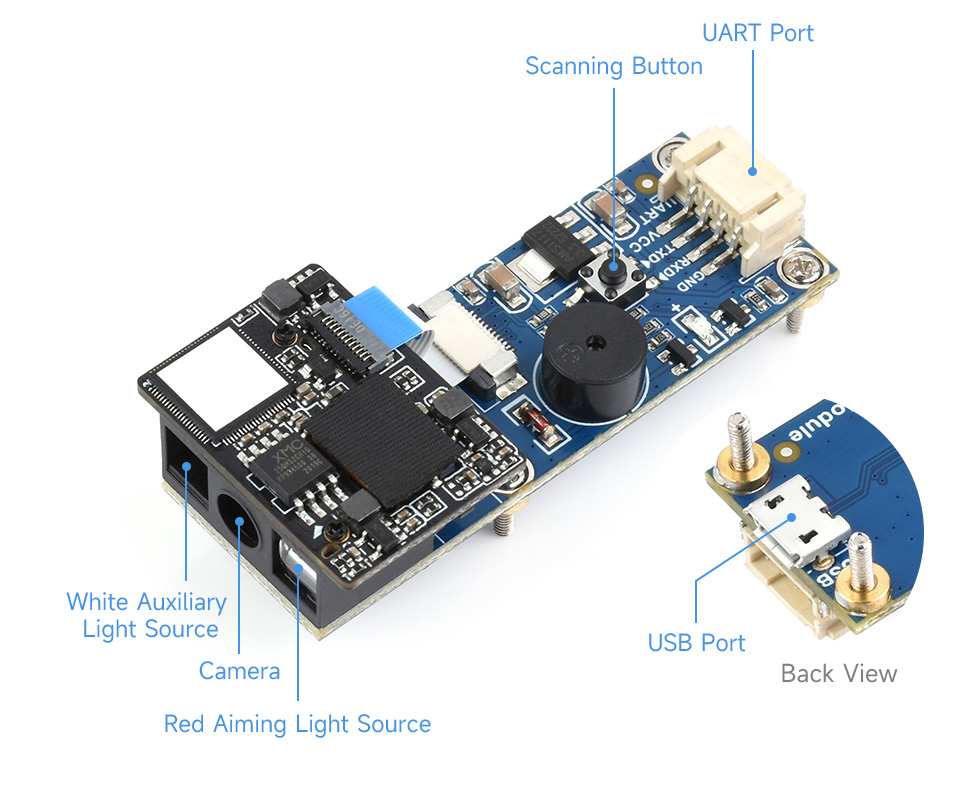
Product Show
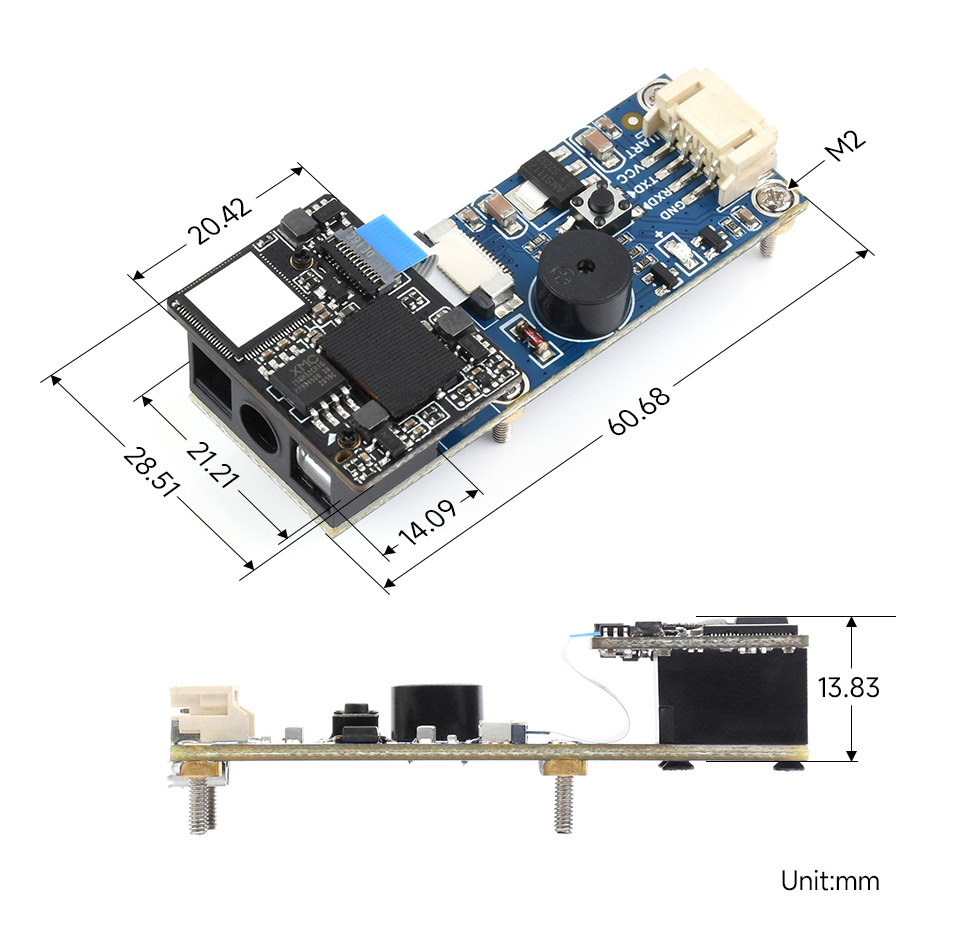
Outline Dimensions

Weight: 0.061 kg
Quick Overview
- Barcode Scanner Module (B) x1
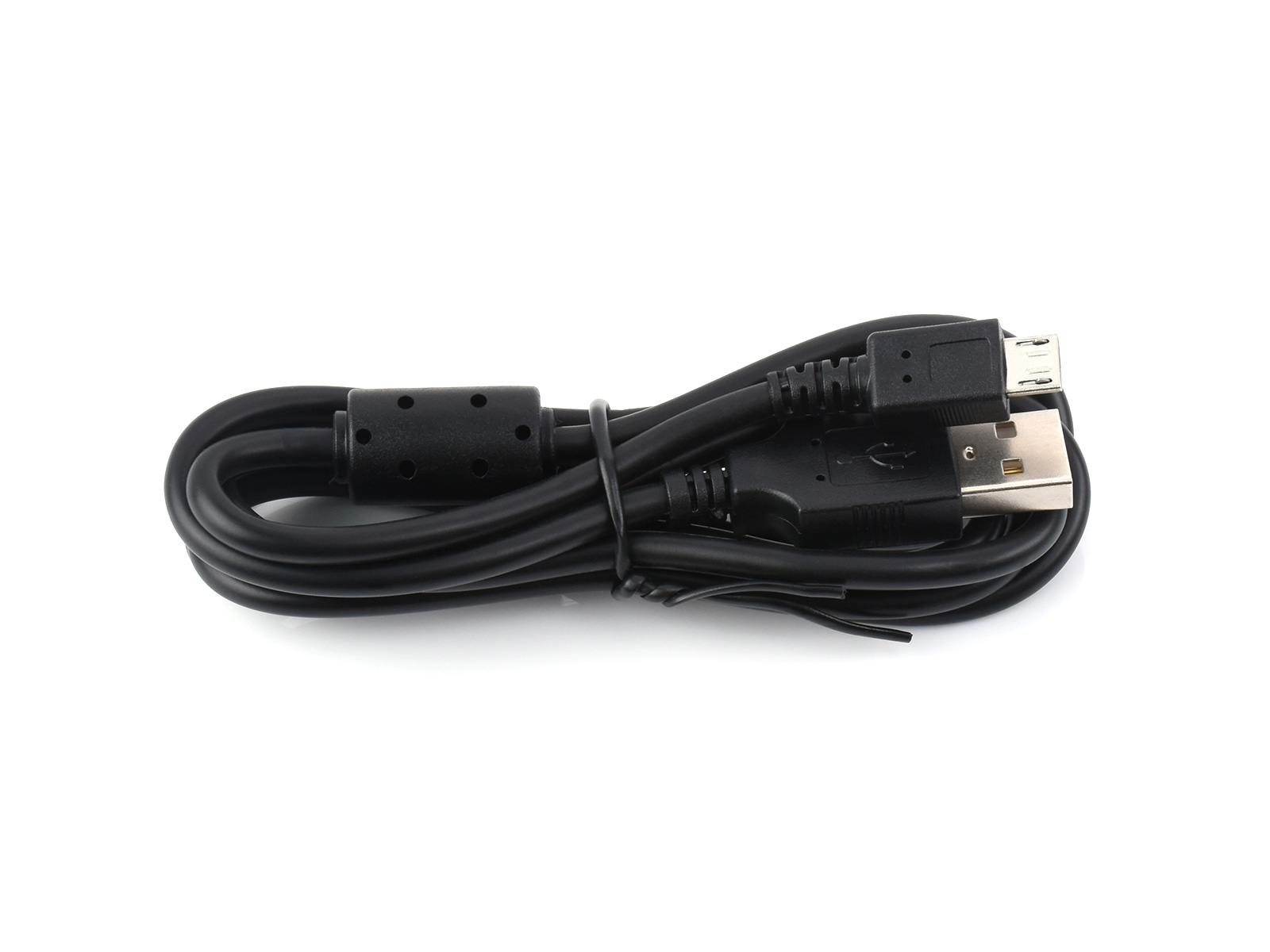
- USB type A plug to micro B plug cable x1
- PH2.0 4Pin cable x1
1
2
3


